

The Validation Panel allows users to see where Errors, incomplete objects, and Conflicts may exist within the Model in one central location. All Model Objects with Value Resolution Errors, TBDs, or merge Conflicts will appear here. Errors can range from unit mismatches to logical errors, TBDs indicate incomplete values, and Conflicts arise from branch merging.Documentation Index
Fetch the complete documentation index at: https://docs.davinci-app.com/llms.txt
Use this file to discover all available pages before exploring further.
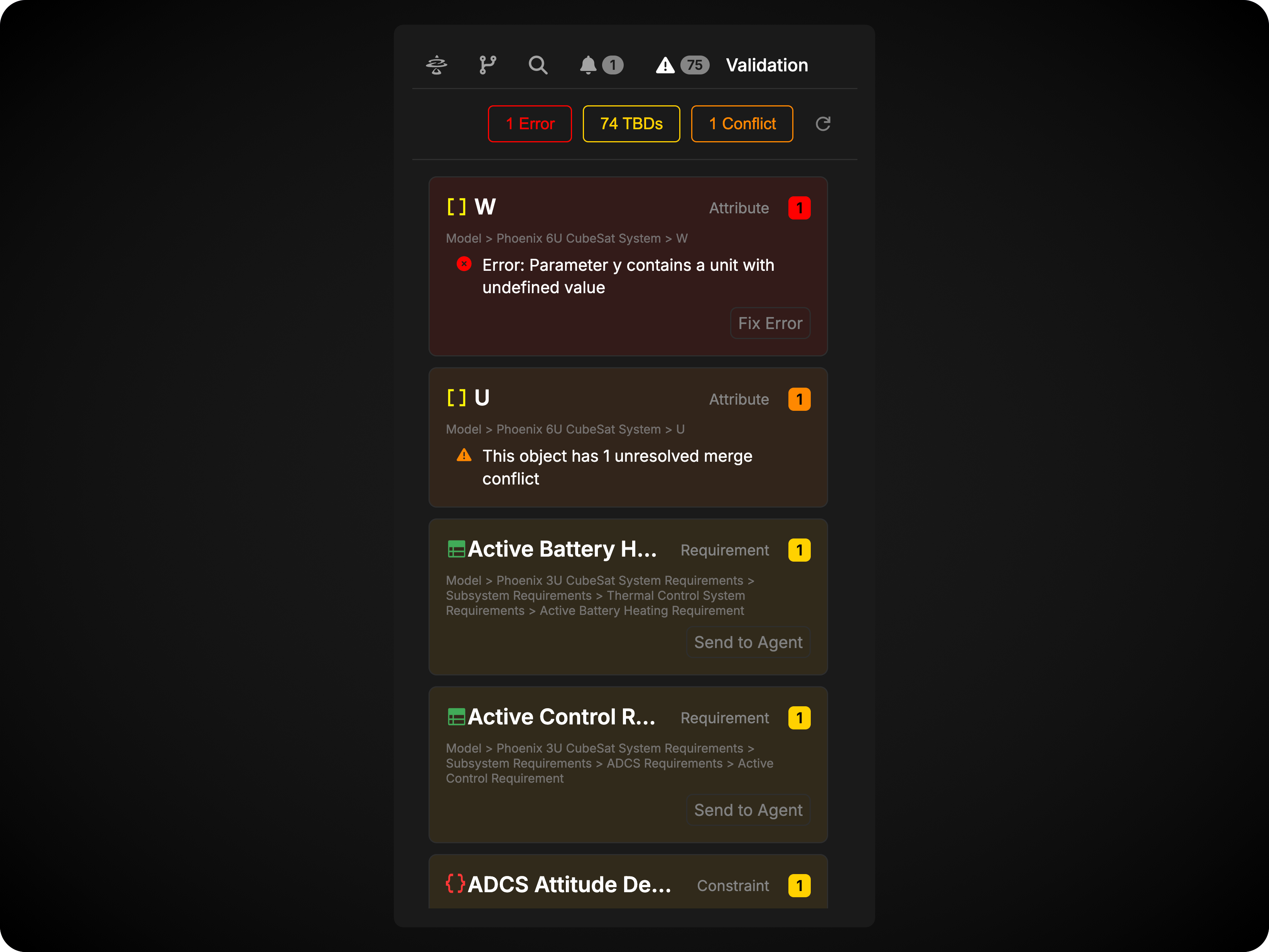
Affected Objects section in each card as appropriate.
The total number of Objects affected by a Root Cause error, TBD, or conflict will also be shown in the badge at the top right corner of each card.
Errors
A Value Resolution Error is an error that occurs when Davinci attempts to resolve an equation into a final value. These errors can be caused by incorrect or incompatable units, unauthorized characters or inputs in different field types (letters in a “number” field, for example), or other logical errors within the equation. Each of these will result in an error in the resolution field.
Fix Error Button
Error cards contain a Fix Error button that automatically attempts to fix the issue. When clicked, the button analyzes the error and applies an automatic fix to the object. The fix is then presented to you for review - you can either accept the proposed fix to apply it to the object, or reject it if the fix isn’t appropriate. If accepted, the change is applied and the error should be resolved.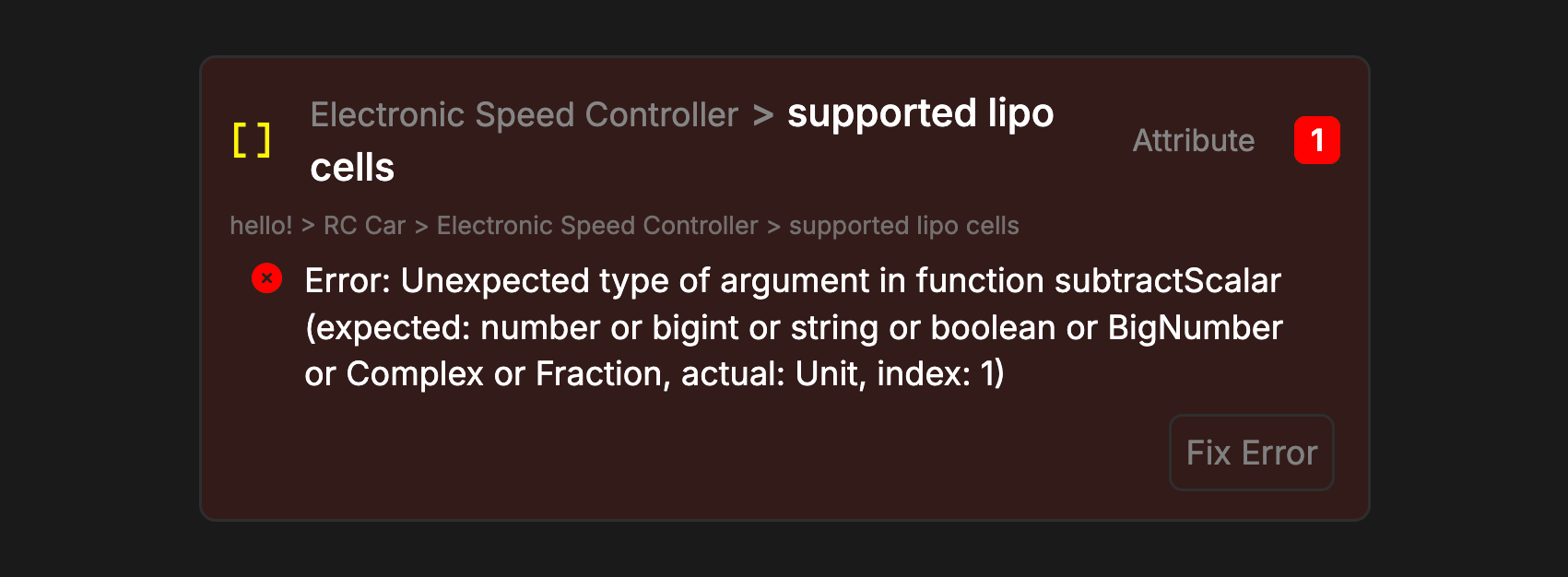
TBDs
TBDs are a special status given to Attributes, Requirements and Constraints that are either empty, or have “TBD” written in their equation field. TBD Objects are incomplete, and should be filled in once their data or equation is known. This can be useful if, for example, a constraint is identified, but not fully realized in scope yet. TBD Objects indicate an incomplete Model, and should be resolved as soon as possible.
Send To Agent Button
TBD cards contain a Send to Agent button that adds the object to chat for guided resolution. When clicked, the button opens the Davinci Agent chat panel and automatically adds a message referencing the TBD object with a prompt like “Please help resolve TBD fields for this attribute.” This approach is used for TBDs because they often require additional context to resolve properly - the agent needs to know what value should replace the TBD, what units to use, or what equation logic to apply.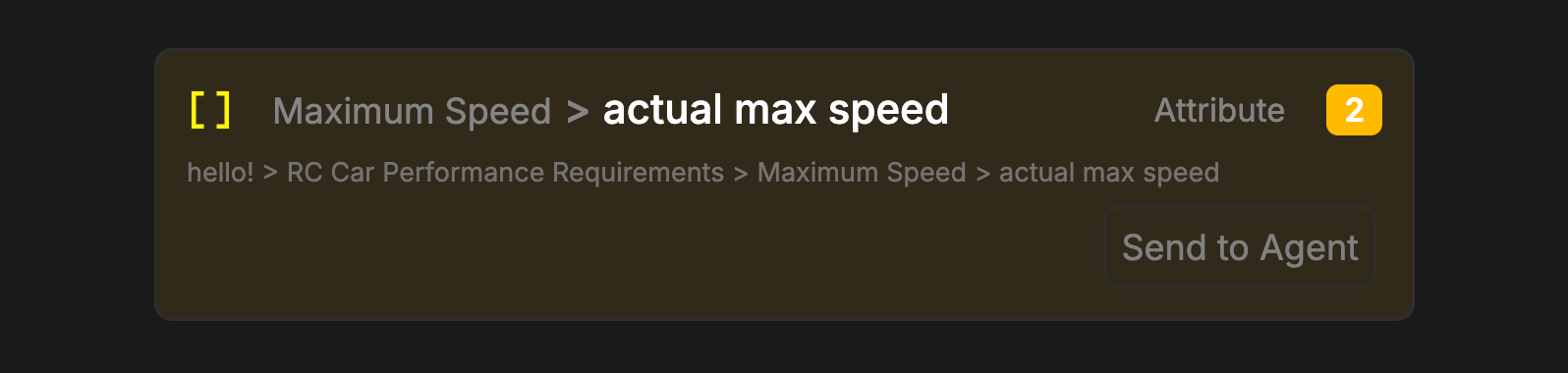
- The specific value and units to use
- The equation or calculation method
- References to other objects or data sources
- Any constraints or requirements