

The Units view allows you to define custom units for use in your project. These units can be used in attribute definitions, equations, and code throughout the model.Documentation Index
Fetch the complete documentation index at: https://docs.davinci-app.com/llms.txt
Use this file to discover all available pages before exploring further.
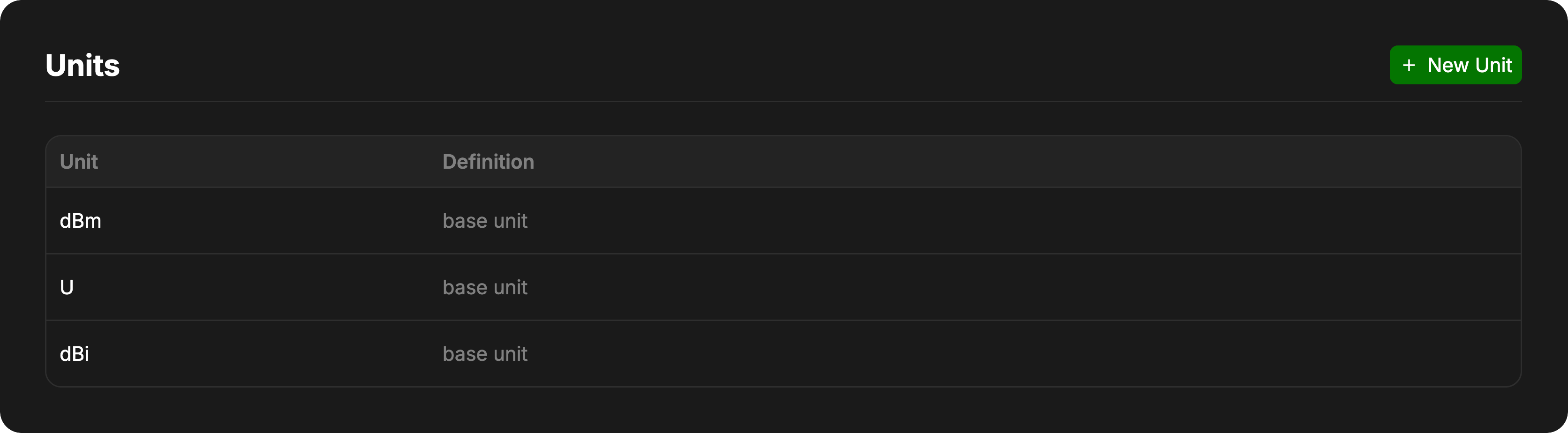
Default Units
Davinci comes with a comprehensive set of standard SI and Imperial units pre-installed. You do not need to define these. See the Units Documentation for a full list of available default units.Creating Custom Units
To create a new custom unit, click the New Unit button in the header.The “New Unit” button will be disabled if there are unresolved merge conflicts in your unit definitions.
Unit Fields
- Name: The identifier for the unit (e.g.,
myUnit,knots).- Must not contain spaces.
- Should be unique within the project.
- Definition: Defines what the unit represents.
- Base Unit: Leave this field blank to create a fundamental unit that is not defined in terms of others.
- Derived Unit: Enter a mathematical definition using existing units (e.g.,
1.852 km/horkg * m / s^2).
Examples
| Unit Name | Definition | Description |
|---|---|---|
furlong | 201.168 m | Defining a length unit in terms of meters. |
fortnight | 14 days | Defining a time unit. |
speed_of_turtle | 0.1 m/s | Defining a custom velocity. |
currency | (blank) | Defining a new base unit for tracking cost. |
Managing Units
Deleting Units
You can remove a custom unit by clicking the trashcan icon on the right side of the unit row.Editing Units
Units cannot be edited once created. If you need to change a unit’s definition, you must delete the existing unit and create a new one with the corrected definition.Version Control
Custom units are tracked by Davinci’s version control system.- Branching: Different branches can have different sets of custom units.
- Conflicts: If the same unit name is defined differently in two branches being merged, a conflict will occur.
- Resolution: You must resolve any unit conflicts in the Unit Settings view before you can create new units. The interface will display the conflicting definitions and allow you to choose the correct one.