

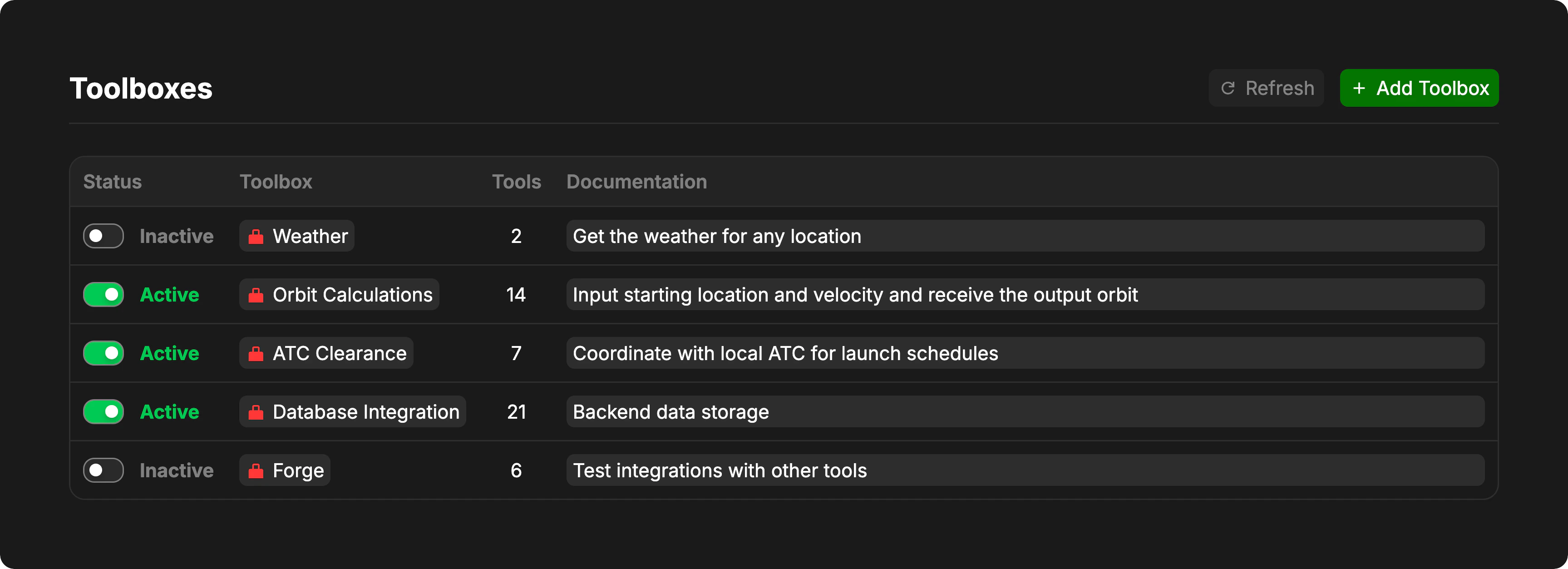
What are Toolboxes?
Toolboxes are reusable collections of tools that can be enabled or disabled for your project. Each toolbox contains one or more tools that the AI agent can use during conversations and task execution. Learn More About Toolbox ObjectsManaging Toolboxes
Creating a New Toolbox
To create a new toolbox, click the Add Toolbox button in the header. This will create a new toolbox object in your model’s index, which you can then configure with custom tools.Newly created toolboxes start inactive. You’ll need to add tools to the toolbox and enable it before the agent can use it.
Enabling and Disabling Toolboxes
Each toolbox has an Active/Inactive toggle in the Status column.
Toggle a toolbox’s status by clicking the switch in the Status column. Active toolboxes appear green, while inactive toolboxes appear gray.
Navigating to a Toolbox
Click on a toolbox’s name in the Toolbox column to open and edit that toolbox object in the model. This allows you to:- Add or remove tools from the toolbox
- Configure tool parameters
- Update the toolbox implementation