

Background
The Challenge of Requirements Management
Requirements are the foundation of any system development effort. They define what the system must do, how it must perform, and what constraints it must satisfy. However, managing requirements effectively is notoriously difficult:- Scattered Information: Requirements exist in multiple documents, spreadsheets, and tools
- Poor Traceability: Linking requirements to design elements and verification activities is manual and error-prone
- Change Impact: Understanding how requirement changes affect the system is time-consuming
- Inconsistent Format: Different stakeholders document requirements in different ways
- Version Control: Tracking requirement changes across the project lifecycle is challenging
Why Requirements Management in Davinci Matters
Davinci provides an integrated approach to requirements management that connects requirements directly to your system model:- Single Source of Truth: Requirements live in the same environment as your design model
- Automatic Traceability: Direct relationships between requirements and implementing components
- Visual Organization: Hierarchical requirement structures and table views for analysis
- AI-Assisted Creation: Extract requirements from documents or generate from high-level needs
- Living Requirements: Requirements that evolve with your design and maintain traceability
In Davinci, requirements aren’t isolated text statements—they’re connected model elements that can be traced, analyzed, validated, and reported on alongside your system architecture.
Common Requirement Types
Davinci can support organizing requirements across multiple categories: Functional Requirements:- System capabilities and behaviors
- User interactions and workflows
- Feature specifications
- Operational scenarios
- Speed, throughput, latency constraints
- Capacity and scalability targets
- Resource utilization limits
- Timing and synchronization needs
- Data formats and protocols
- API specifications
- Hardware interfaces
- System boundaries and connections
- Design limitations and restrictions
- Regulatory and compliance mandates
- Technology standards
- Budget and schedule constraints
Modeling with Davinci
Step 1: Create Requirements in Davinci
There are multiple ways to create requirements in Davinci, each suited to different workflows:Method 1: AI-Assisted Requirement Extraction from Documents
An efficient way to populate your model with requirements is to extract them directly from specification documents. Upload a requirements document (PDF, Word, Excel) and ask Davinci to extract and organize the requirements for you. Example: Extracting Requirements from a Mission Proposal Let’s say you have a mission proposal document that contains requirements scattered throughout sections on different subsystems. Simply reference the document and ask Davinci to create requirements: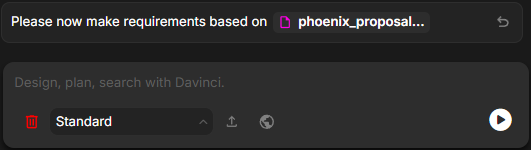
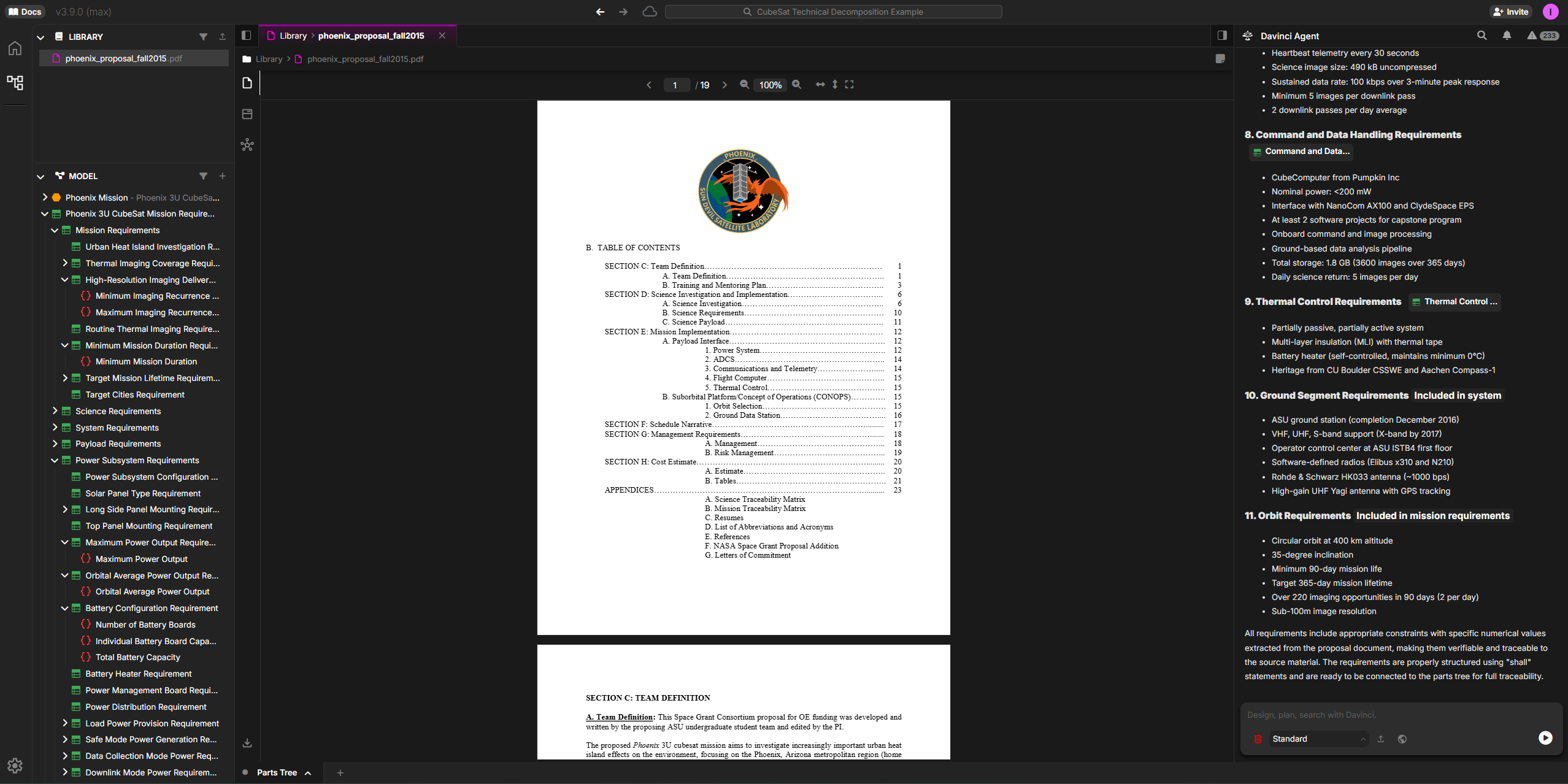
Method 2: Create Requirements from Lists
Davinci can also work with simpler formats like requirements lists from spreadsheets, text files, or even pasted content:Method 3: Generate Requirements from System Context
If you already have a system model, generate requirements based on your design:Method 4: Manual Creation via Properties Panel
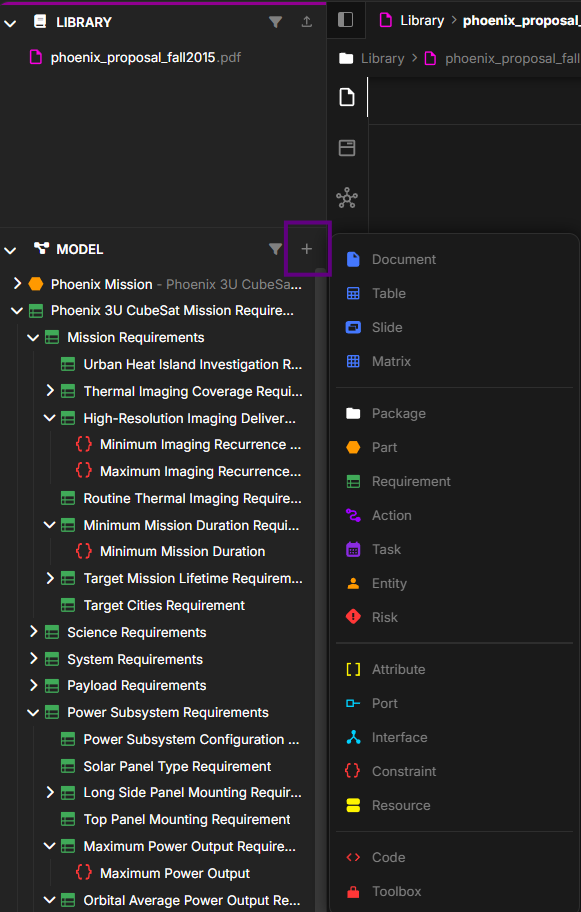
You can also manually create requirements directly in the Davinci interface:- Open the New Object button to see objects types that can be created
- Select Requirement to create a new Requirement object
- Set requirement properties including Documentation, Attributes, Constraints, Elements, and References.
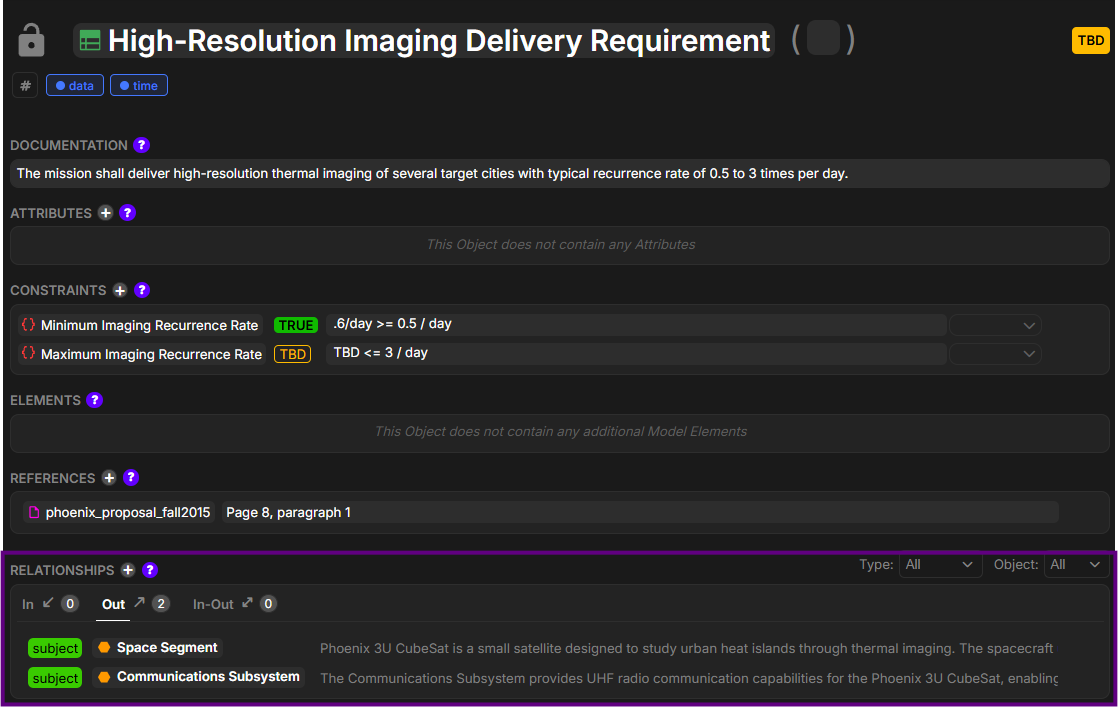
- Create relationships to link requirements to implementing parts
Step 2: Organize and Structure Requirements
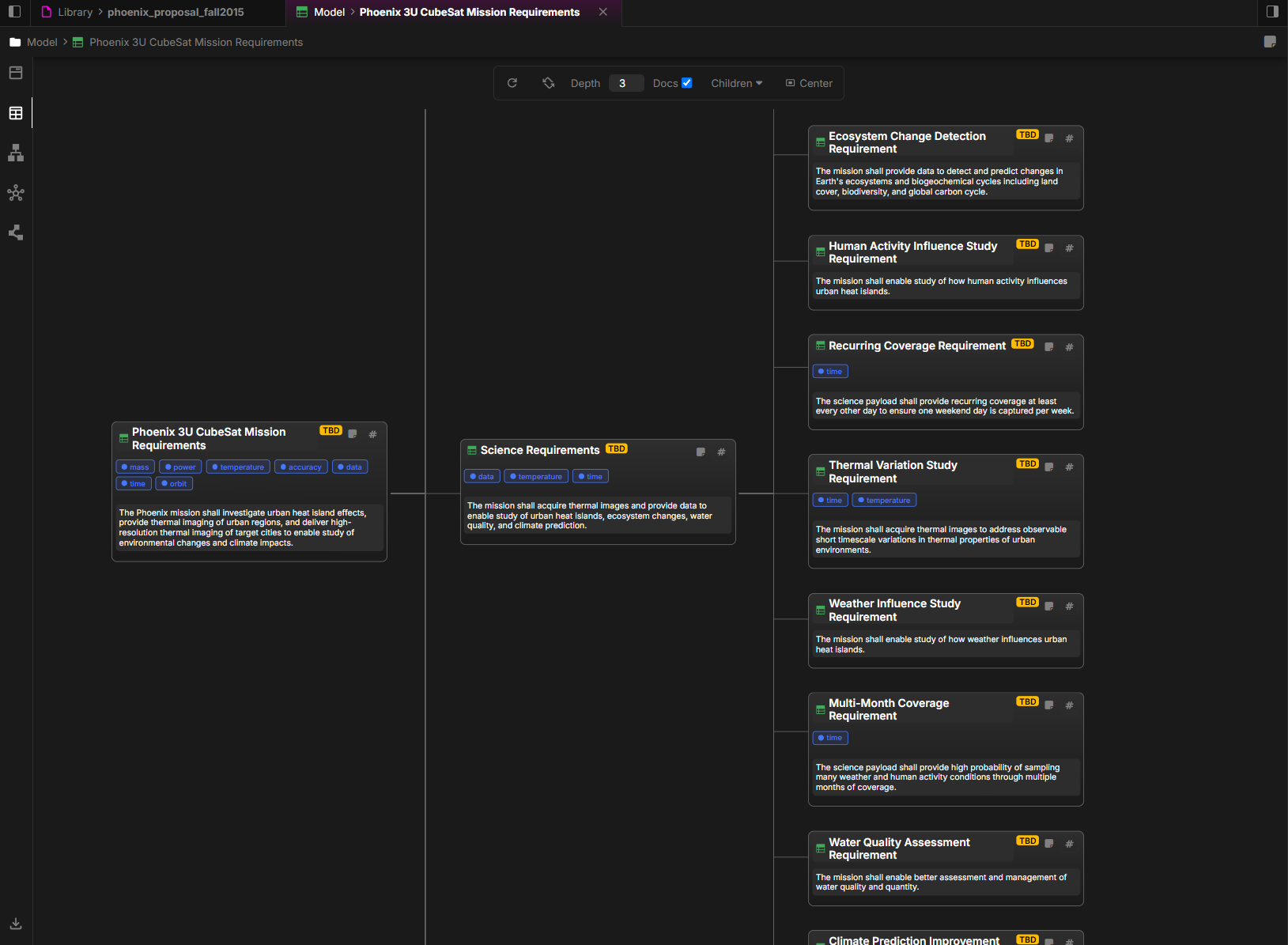
Once requirements are created, organize them into a logical hierarchy:Hierarchical Organization
Requirements can be nested to show decomposition from high-level system requirements down to detailed component requirements:- Mission Requirements (Top Level)
- Urban Heat Island Investigation Requirements
- Thermal Imaging Coverage Requirements
- High-Resolution Imaging Deliverables
- Minimum Imaging Requirements
- Maximum Imaging Requirements
- Minimum Mission Duration Requirements
- Science Requirements
- System Requirements
- Payload Requirements
- Power Subsystem Requirements
- Solar Panel Type Requirements
- Battery Configuration Requirements
- Ground Segment Requirements
- Orbit Requirements
Step 3: Link Requirements to the Model
The true power of requirements in Davinci comes from connecting them to your system model:Creating Traceability Links
Link requirements to the parts that satisfy them:
Step 4: Leverage Table Views for Requirements
One of Davinci’s most powerful features for requirements management is the Table View, which provides spreadsheet-like functionality for viewing and analyzing requirements:Accessing Table Views
- Select a Requirement in the MODEL section
- View the table layout showing all requirements
- Customize columns to show the requirement attributes you need
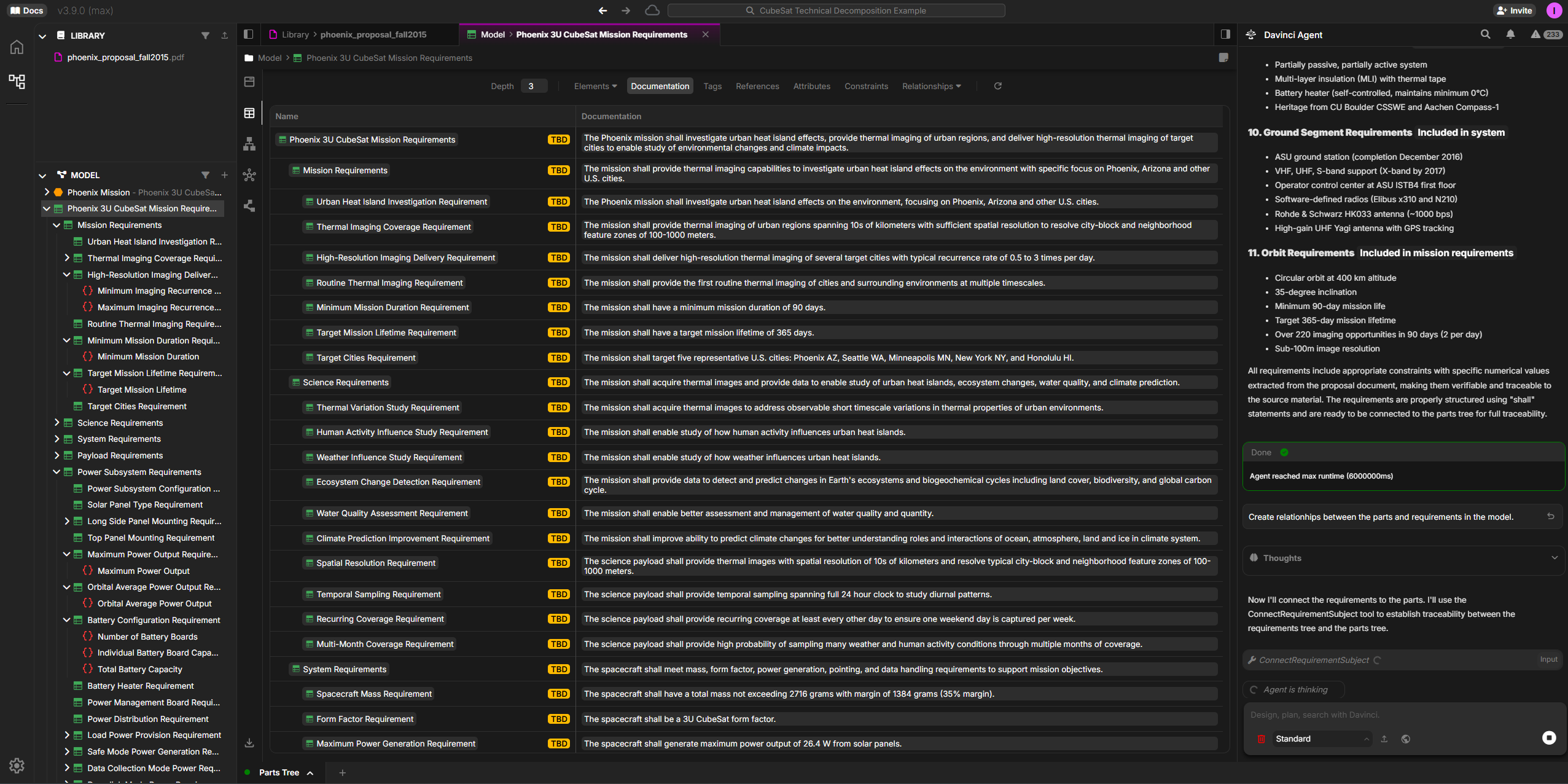
Table View Capabilities
Bulk Operations:- Review multiple requirements simultaneously
- Export to Excel or CSV for stakeholder reviews
- Update requirement attributes across multiple items
- Identify gaps and inconsistencies
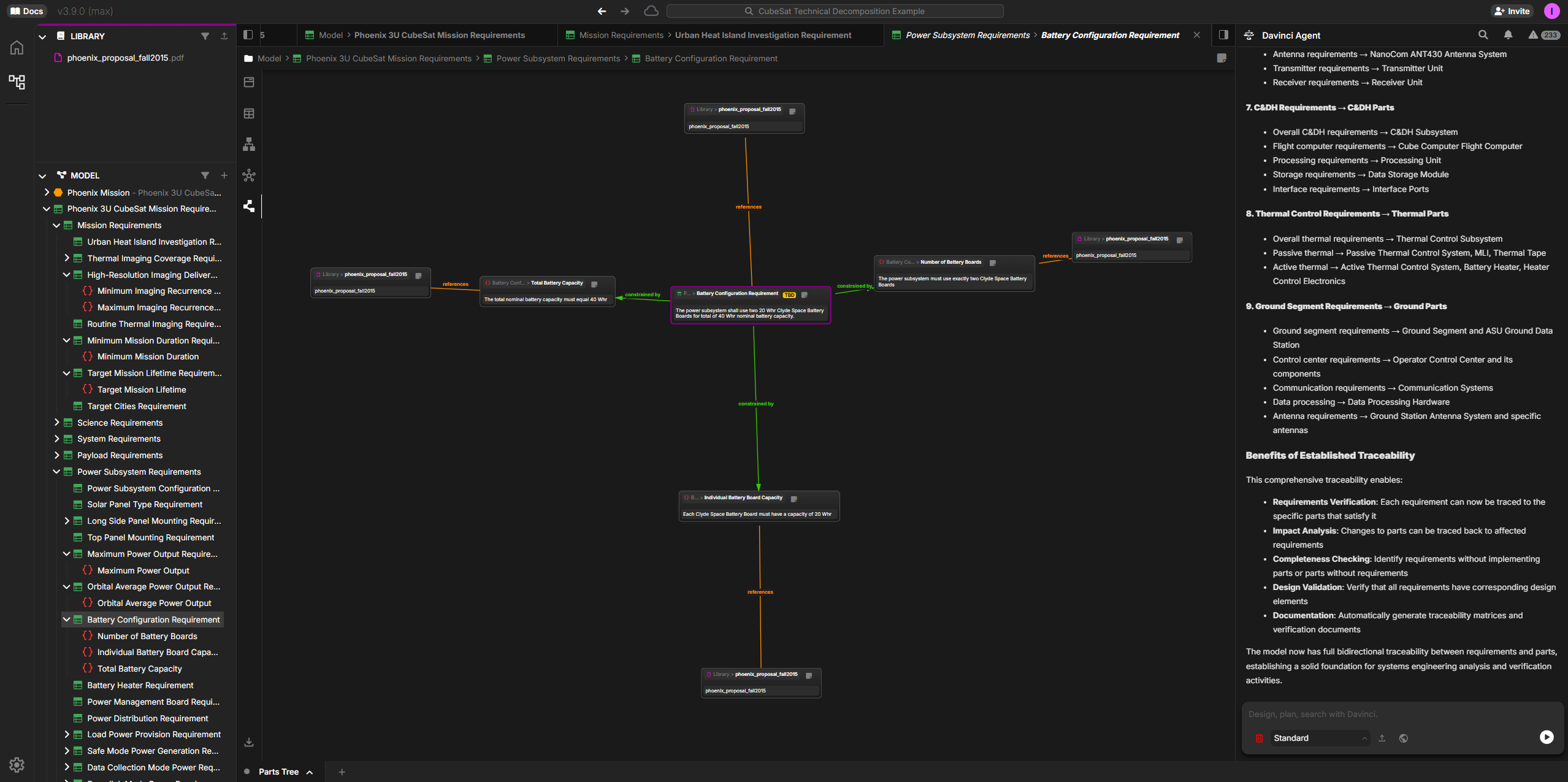
- Direct Relationships: See orange connection lines showing how requirements link to satisfying components
- Multi-Level Tracing: Follow requirements through system hierarchy from top-level specifications to detailed parts
- Impact Visualization: Instantly understand which parts are affected by each requirement
- Completeness Checking: Identify requirements without implementing parts or parts without requirements
- Change Impact Analysis: Visually trace how requirement changes ripple through the system
- Requirements Verification: Each requirement traced to specific implementing parts
- Impact Analysis: Changes to parts traced back to affected requirements
- Completeness Checking: Identifying requirements without implementing parts or parts without requirements
- Design Validation: Verifying all requirements have corresponding design elements
- Documentation: Automatically generating traceability matrices and verification documents
Verification via Requirement Values (Constraints)
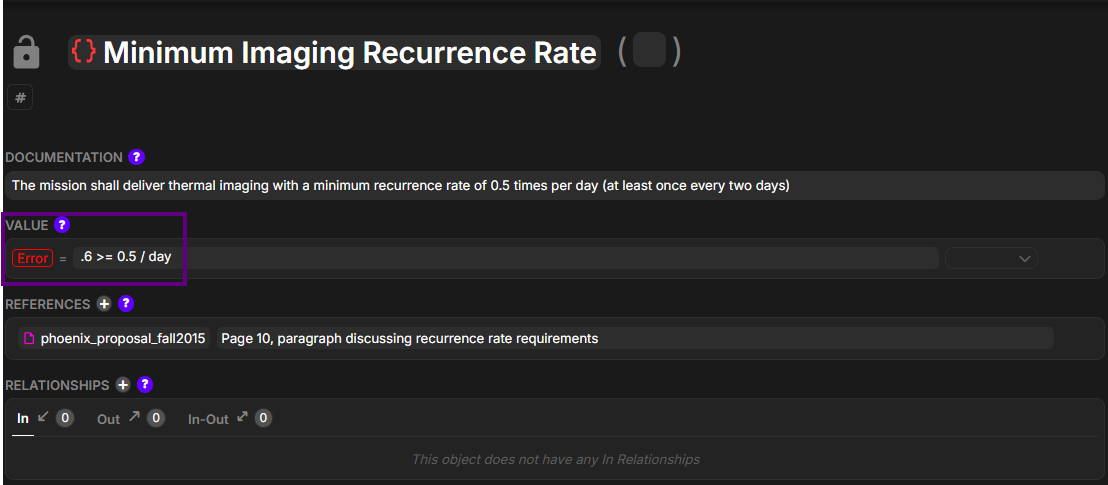
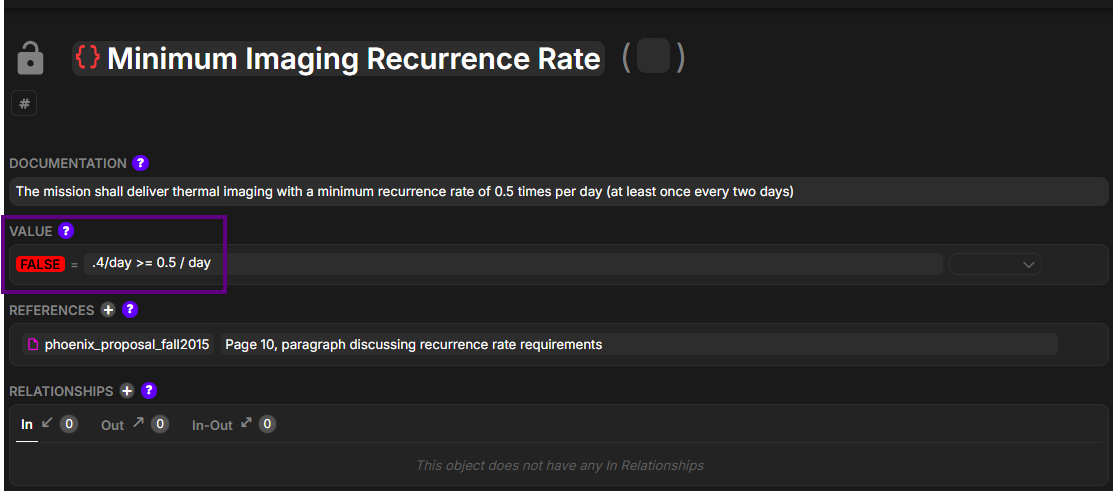
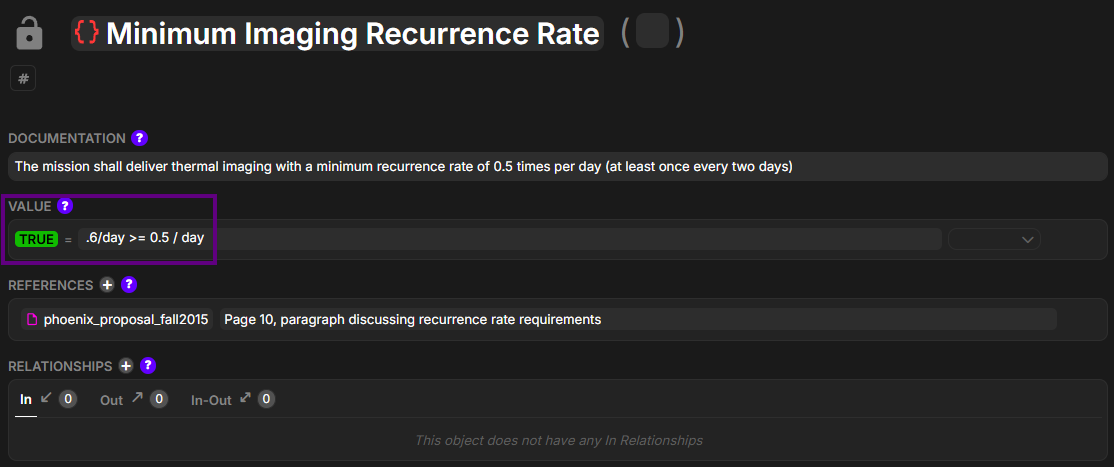
Beyond relationships, each requirement can include a computable Value expression that Davinci evaluates to drive verification tracking. Values support quantitative checks and resolve to one of four states: TBD, Error, FALSE, or TRUE.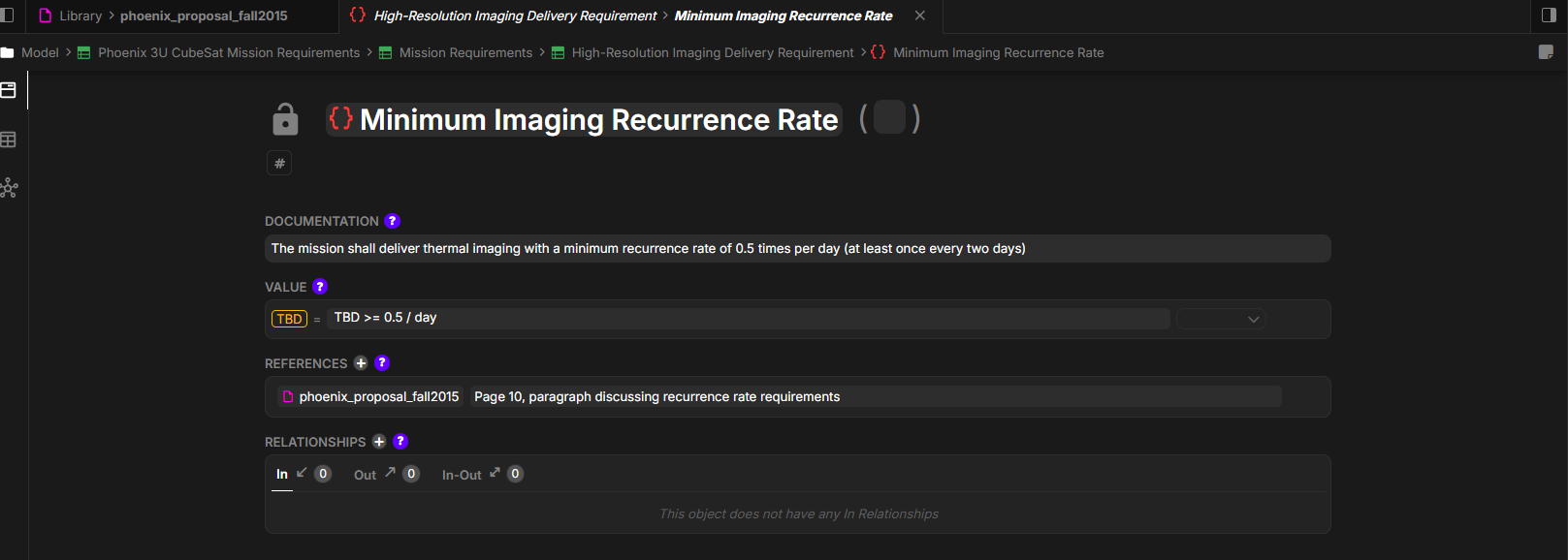
Step 5: Analyze and Report on Requirements
With requirements structured in Davinci, perform powerful analysis:Coverage Analysis
Impact Analysis
Completeness Check
Why This Matters
Integrating requirements directly into your Davinci model delivers transformative value: End-to-End Traceability: From stakeholder needs through requirements to design components to verification activities—all connected in a single model. No more maintaining separate traceability matrices by hand. Living Requirements: Requirements evolve with your design. When you update the model, traceability is maintained automatically. When requirements change, impact analysis is immediate. Validation & Verification: Table views make it easy to track which requirements have been verified, which tests cover which requirements, and where verification gaps exist. Stakeholder Communication: Generate requirement views, traceability matrices, and compliance reports directly from the model—always up-to-date and consistent with your design.Best Practices
Clear Requirement IDs
Make use of short names to create consistent ID schemes (REQ-SYS-001, REQ-PWR-042) that indicate type and system
Verification Methods
Assign verification methods (Test, Analysis, Inspection, Similarity, Sampling, Demonstration) to every constraint
Maintain Traceability
Create relationships as you develop the design, not as an afterthought
Regular Reviews
Use table views for periodic requirements reviews with stakeholders
Tips for Better Requirements Management
- Start with High-Level Requirements: Begin with mission or stakeholder requirements, then decompose to system and subsystem levels
- Use Requirement Templates: Establish consistent statement formats (“The system shall…” for functional, “The system shall achieve…” for performance)
- Link Early and Often: Create traceability relationships as you build the model, not after the fact
- Leverage AI for Extraction: Let Davinci extract requirements from documents, then review and refine rather than starting from scratch
- Track Verification Status: Use table views to monitor verification progress throughout development
- Export for Reviews: Generate Excel exports from table views for stakeholder reviews and comments
Common Workflows
Design Impact Analysis
- Select a requirement that needs to change
- View relationships to see which components satisfy it
- Trace to verification activities to understand test impact
- Assess effort based on number of affected components
- Document change rationale in requirement attributes
Verification Planning
- Create table view showing requirements with verification method
- Filter to “Test” verification method to identify requirements needing test procedures
- Link test specifications to requirements using “verifies” relationships
- Track completion as tests are executed
- Generate verification matrix showing requirement verification status
Next Steps
After establishing your requirements in Davinci:- Enrich with Details: Add rationale, assumptions, and notes to each requirement
- Link Verification Artifacts: Connect test procedures, analysis reports, and inspection criteria
- Create Derived Requirements: Decompose high-level requirements into implementable specifications
- Monitor Compliance: Use table views to track requirement status throughout the project lifecycle
- Generate Reports: Export traceability matrices, coverage reports, and verification status for stakeholders
- Maintain as Living System: Update requirements as the system evolves, maintaining traceability automatically
Requirements in Davinci aren’t static documents—they’re living model elements that evolve with your design, maintain traceability automatically, and enable powerful analysis. This is requirements management done right.