The Model Area is the primary workspace inside the Editor. It combines movable panels with the central workspace where project objects open as tabs.

Focus

The Model Area uses a Focus system to determine where shortcut actions, such as Paste or Undo, occur. The focused region can be a workspace tab or a widget inside either panel. Actions are applied to the focused region.
Left Panel

Learn about the Left Panel and its widget rail.

Model

Browse the Library and model object tree.

Right Panel

Learn about the Right Panel and its tab header.

Workspace

The Workspace is where you view and edit objects directly. Selecting objects in Model opens them as tabs inside the Workspace.
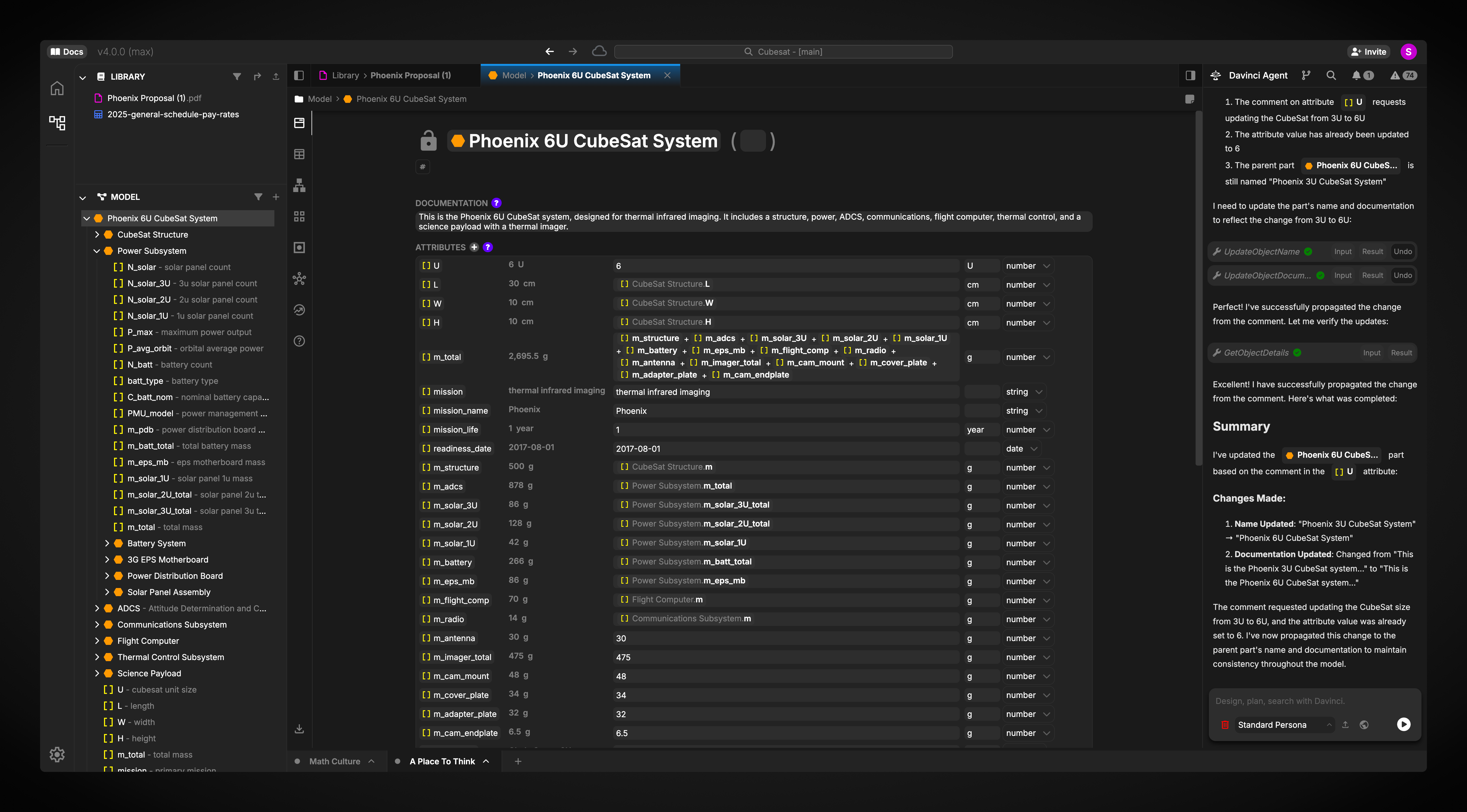
Tabs can be rearranged by dragging them. The Workspace can also be split to display multiple tabs at once. Drag a tab into the Workspace and drop it on the left or right side to create another Workspace Pane. Each open object has a vertical view selector for changing how the object and its content are displayed. The available views depend on the object type and may provide different editing tools. The download button at the bottom of the view selector exports the current render or view data when export is supported.