

Background
The Challenge of Process Modeling
Organizations often struggle to document and optimize their internal processes. Standard operating procedures (SOPs) and workflow descriptions are frequently:- Static and Buried: Contained in lengthy PDFs or manuals that are rarely updated or referenced
- Disconnected: Separated from the actual people, tools, and requirements involved in the work
- Hard to Analyze: Difficult to identify bottlenecks, missing steps, or compliance gaps
- Inconsistent: Different departments use different terminology and modeling approaches
- Manual Reporting: Requiring significant effort to generate status reports or compliance artifacts
Why Process Modeling in Davinci Matters
Davinci transforms process modeling from static documentation into a dynamic, integrated system model:- AI-Powered Extraction: Automatically extract entities, requirements, and states from existing PDF standards
- Integrated Digital Thread: Link process states directly to the entities that manage them and the requirements they satisfy
- Continuous Improvement: Use AI to analyze existing processes and suggest optimizations and improvements
- Automated Artifacts: Generate report templates and documentation directly from the optimized process model
- Single Source of Truth: Maintain a living model of “how we work” that evolves with the organization
In Davinci, an organization’s process isn’t just a flowchart—it’s a collection of connected model elements (Entities, Requirements, Actions, and States) that can be analyzed, connected, and explored.
States vs. Actions: Modeling Non-Linearity
While it might be tempting to model a process as a sequence of Actions, States can be great for organizational workflows with flows that link back to prior steps.- Actions are inherently linear and imperative. They represent “doing” something in a specific order (Step 1, then Step 2). This is often too rigid for human-centric processes where steps might be skipped, repeated, or handled out of order.
- States represent the “status” or “condition” of the process at any given time. They are declarative and handle non-linearity naturally. A process can transition from “In Review” back to “Draft” or jump straight to “Approved” based on complex conditional logic.
Modeling with Davinci
Step 1: Extract Process Elements from Documentation
The most efficient way to start modeling an organization’s process is by leveraging existing documentation. Upload your process manual or standard (PDF) and ask Davinci to identify the core components.Method: AI-Assisted Extraction from PDF
Reference your process document and prompt Davinci to identify the key entities involved in the process. In this example we are working from a public Air Force engineering assistance process that is documented currently as a PDF.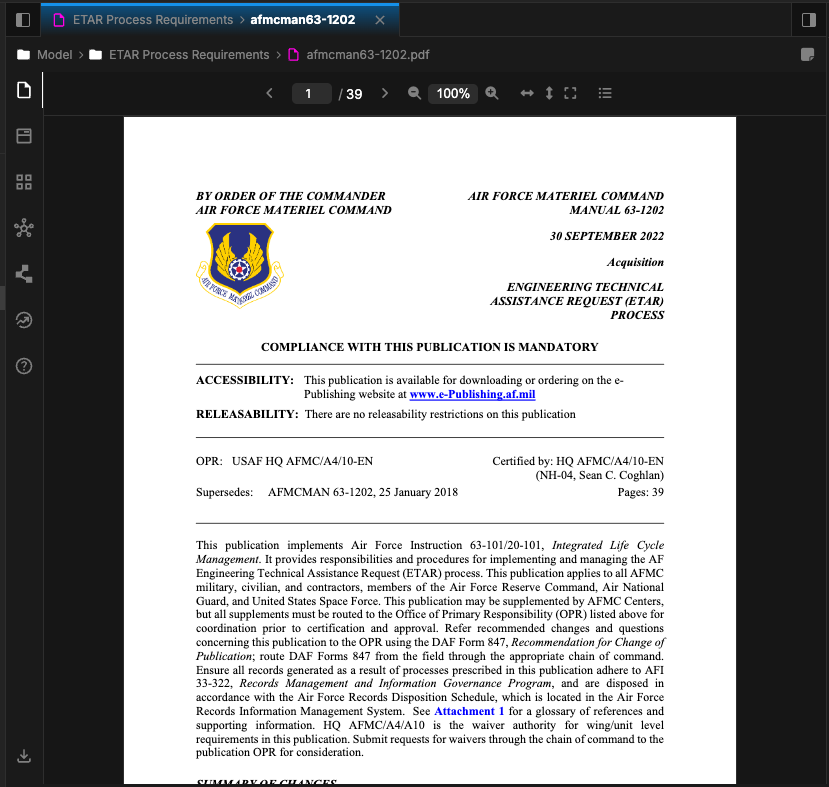
- Entities: Model the roles or persons involved in the process.
- Requirements: Model any instructive or constraining statement in the process as a requirement.
- States: Model the different statuses and the transition flow between them.
- Actions: Model any specific communcation flow, or linear process that occurs in the different states of the overall workflow.
- Attributes: Capture any values of the process that matter and might be used in conditional steps or to define aspects of the roles and requirements.
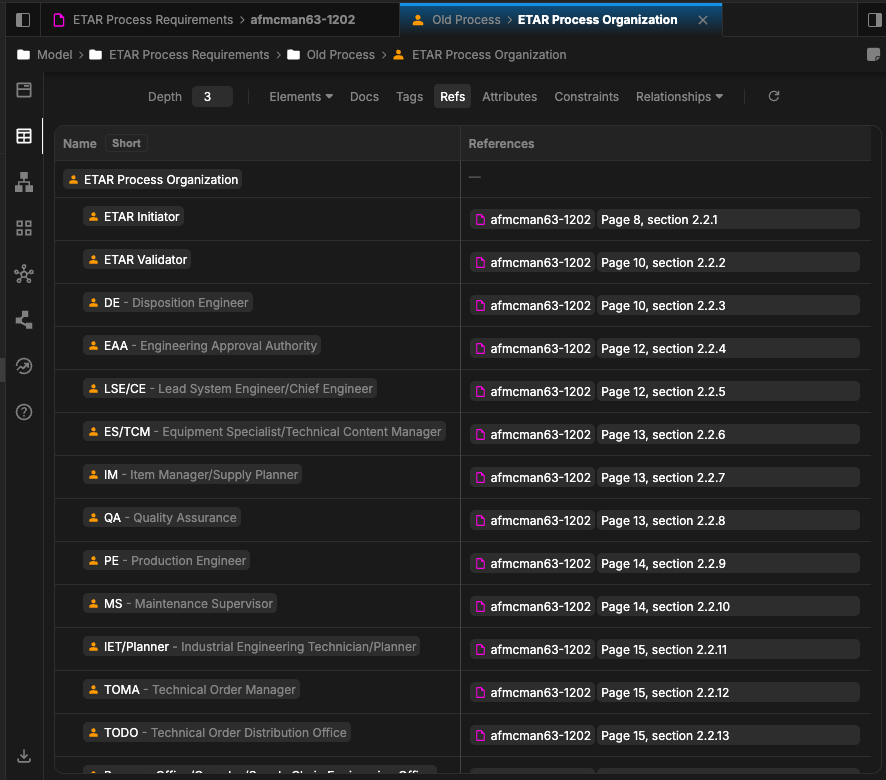
Step 2: Define Process Requirements and States
Once the entities are established, the next step is to define what the process must achieve (Requirements) and the specific states through which it progresses (States).Extracting Requirements and States
After building out the roles we can continue with requirements: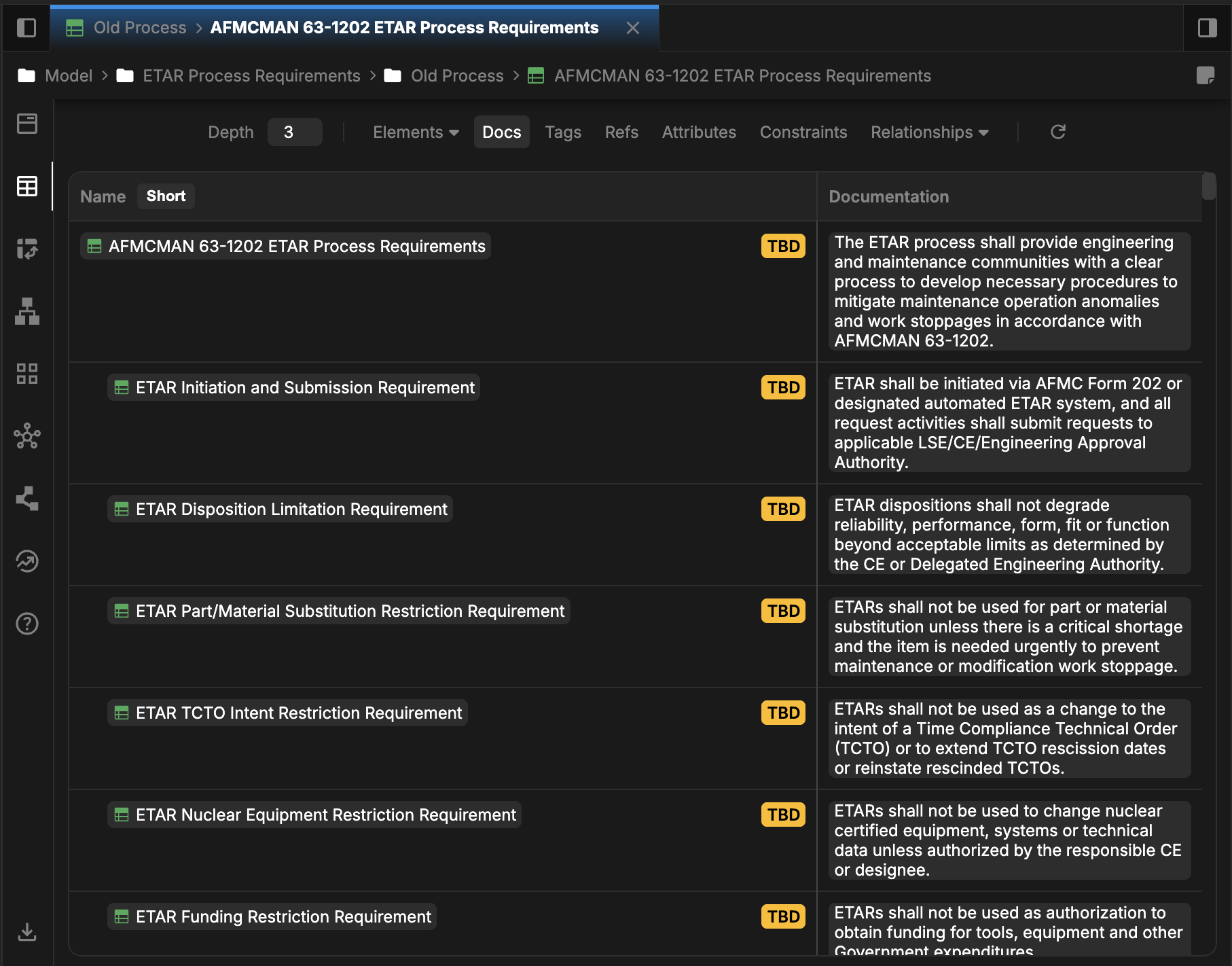
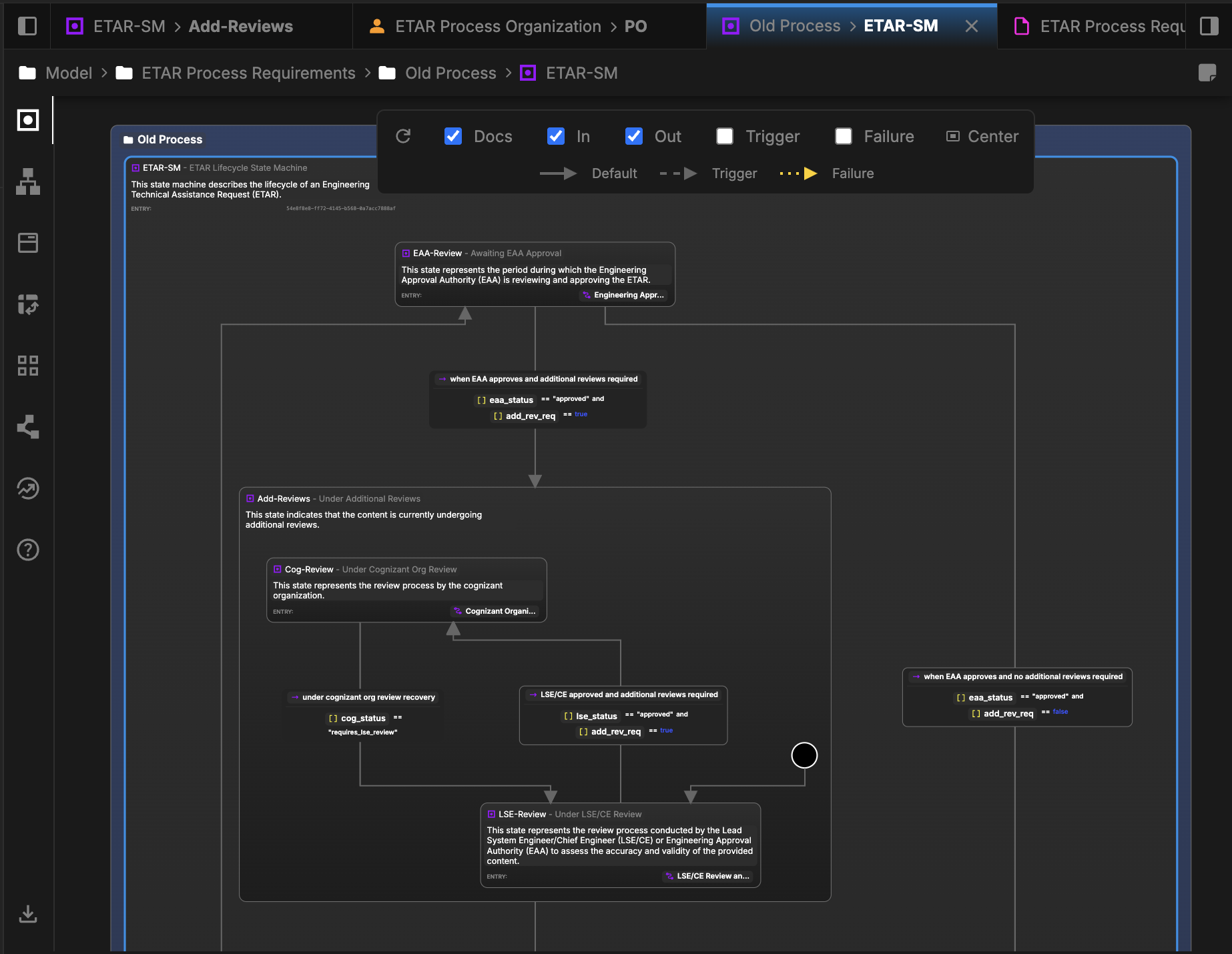
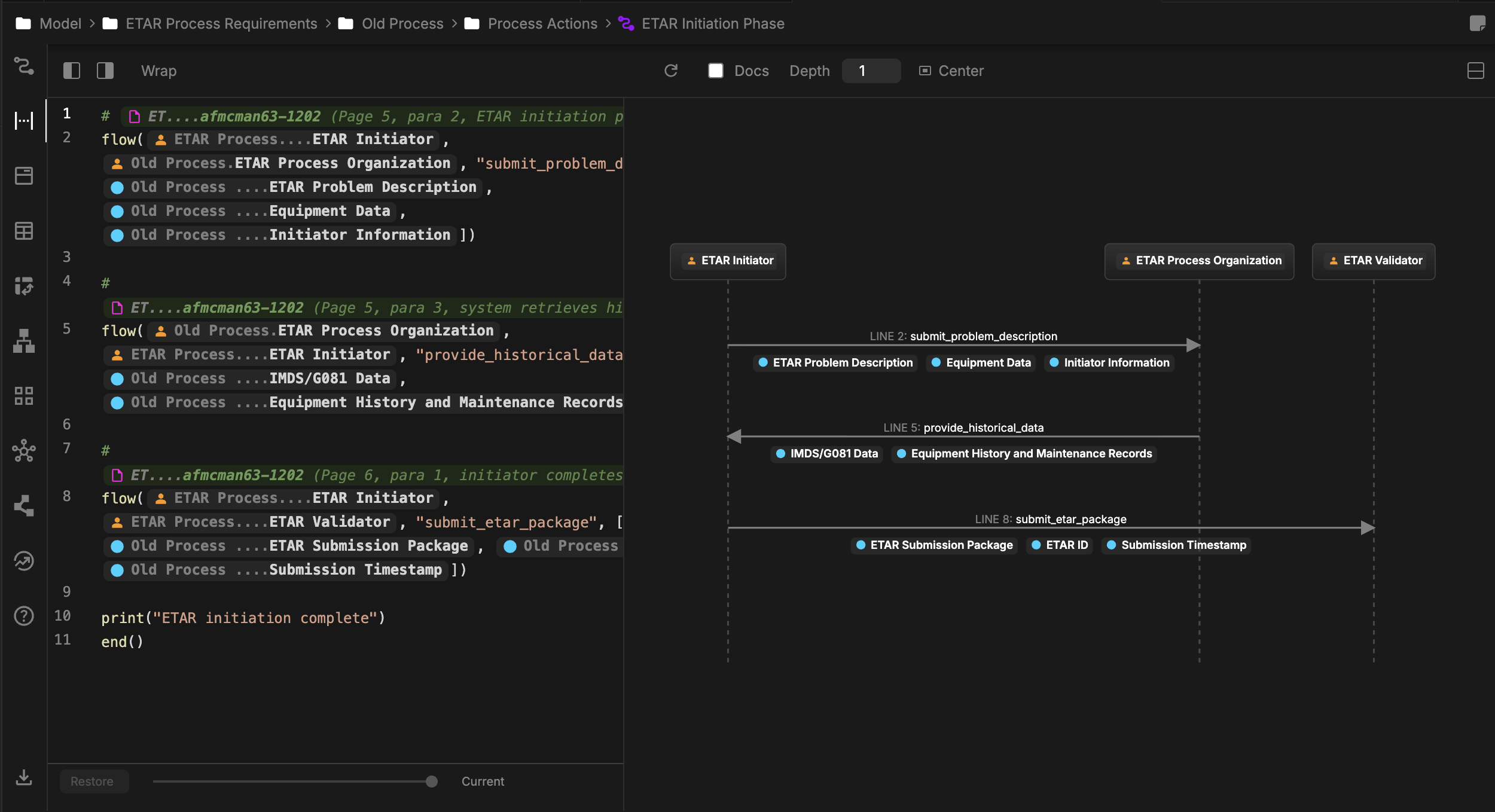
Draft it has a do action of ETAR Initiation Phase:
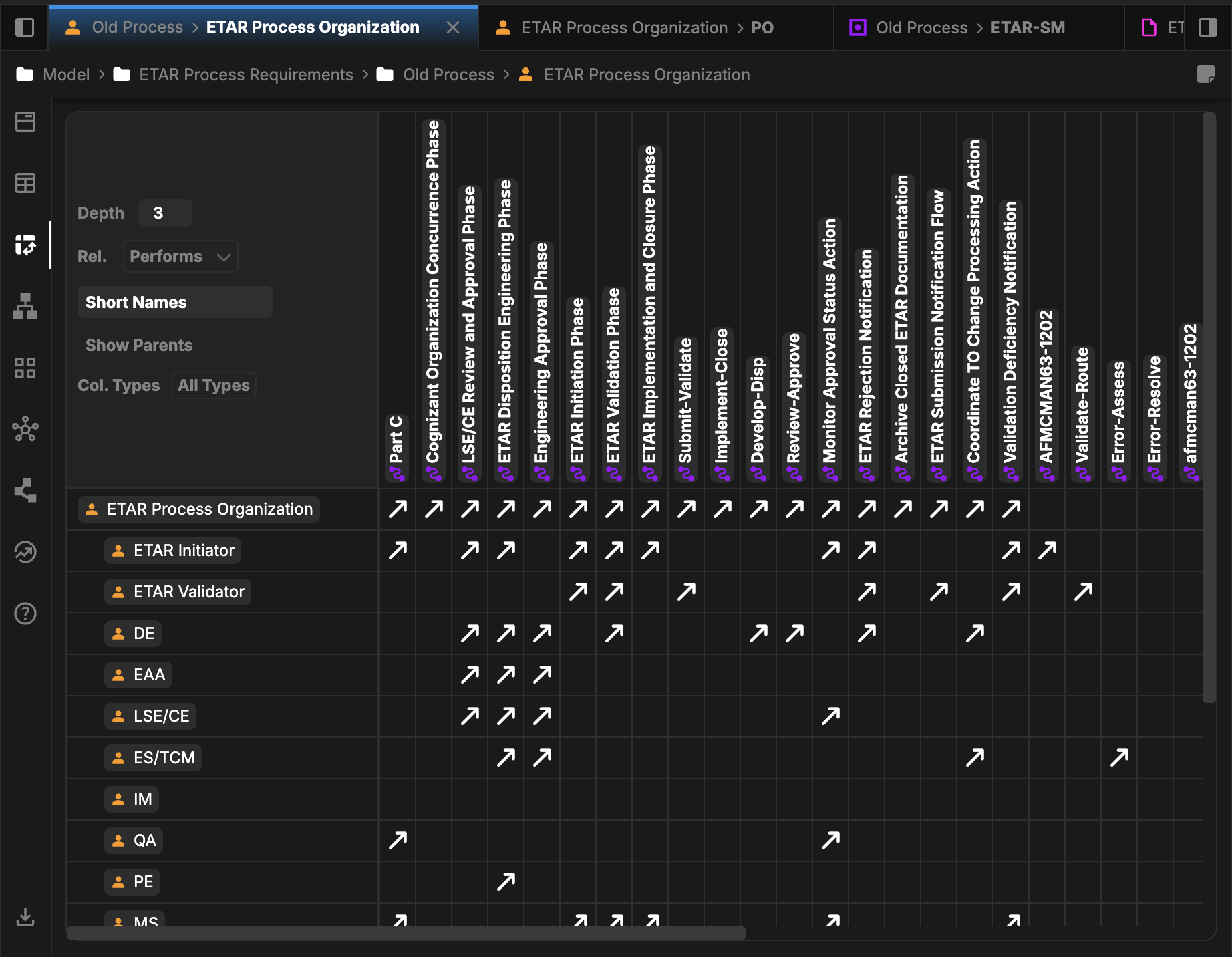
Relationships allow for linking objects across the model. In this example, we are using the base SysML v2 relationships of Subject and Performs, where Subject links a requirement to any object which is the subject of it, and Performs links a Part or Entity to a State that it manages or occupies.
Step 3: Optimize and Improve the Process
With the “as-is” process modeled, you can now leverage Davinci’s AI to suggest improvements, identify bottlenecks, or simplify complex workflows.Prompting for Process Improvement
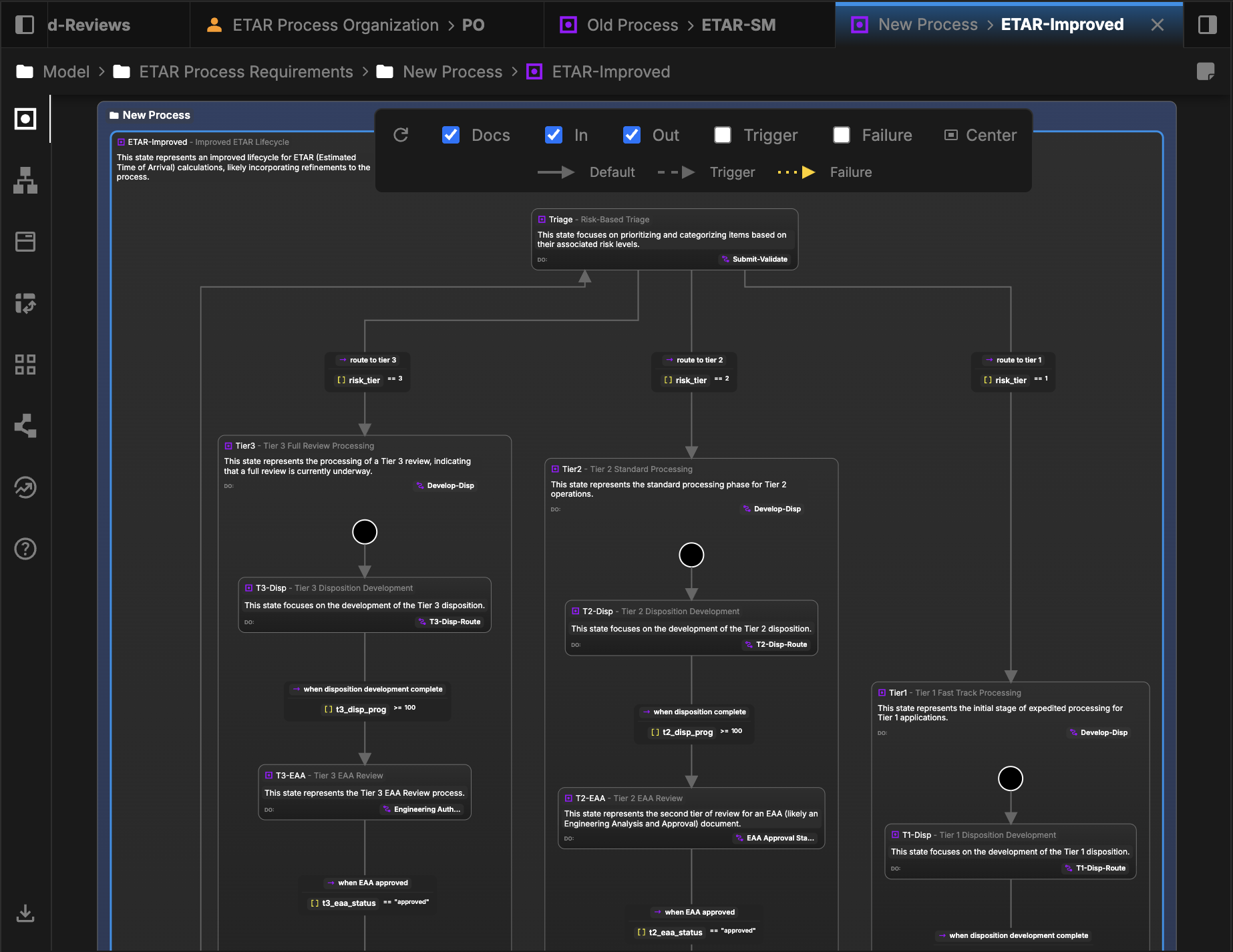
Ask Davinci to analyze the modeled process and suggest a more efficient “to-be” state.
Compare and Contrast
With both models set up we can then ask Davinci to compare the differences and link that back to the model. For example: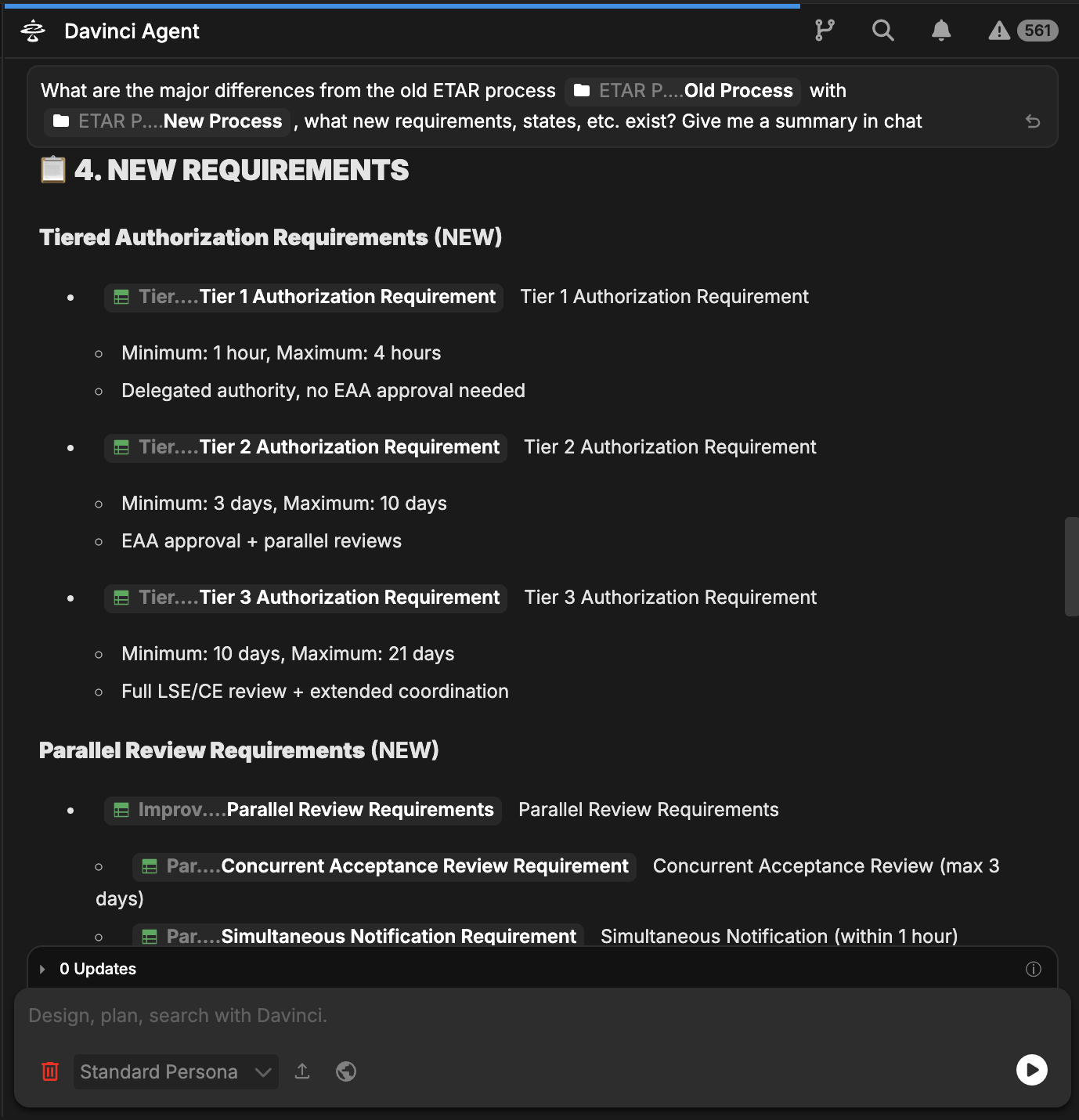
Why This Matters
Modeling organizational processes provides several critical advantages: Clarity and Searchability: Modeling roles and processes provides a precise, interconnected representation that goes beyond what traditional documents offer. With a formal model, you can easily ask targeted questions, conduct thorough reviews, and perform in-depth analyses that static documents simply cannot support. Operational Clarity: Everyone understands their role (Entity), the state they are responsible for (State), and what success looks like (Requirement) and the specifics of communication lines (Actions). With a model you can trace all of these relationships from different perspectives and get better insights. Scalability: For large organizations, many processes can exist simultaneously each with different roles and needs. Using models you can map how these different process models overlap with each other, to existing roles, and the higher level organization needs. For complex hierarchies a digital model is far more efficient at capturing the emergent complexity than what can be hidden inside of imprecise document summaries. Evidence-Based Optimization: Improvements are based on a formal model of the process, allowing for systematic analysis rather than guesswork. Knowledge Retention: Organizational knowledge is captured in a living model rather than being lost when key personnel leave or when PDFs become outdated. Reuse this model with the agent chat for end-users to understand the roles.Best Practices
Start with Entities
Always define the actors first to ensure every state in the process has a clear owner
Trace to Requirements
Every process state should satisfy at least one requirement to avoid “process for process’s sake”
Iterative Improvement
Use AI to suggest small improvements regularly rather than waiting for a major process overhaul
Model the 'Happy Path' First
Start by modeling the standard successful workflow before adding complex exception handling
Tips for Better Process Modeling
- Use Clear State Names: Define states as nouns or status indicators (e.g., “In Review,” “Approved,” “Distributed”) for clarity.
- Define Transitions: Clearly specify what conditions cause the process to move from one state to the next.
- Socialize the Model: Use Davinci’s visual views to review the process with the actual stakeholders to ensure accuracy.
Common Workflows
Process Audit and Validation
- Compare modeled process against actual execution logs or interviews
- Identify “shadow processes” where the real work diverges from the documented standard
- Update the model to reflect reality or reinforce the standard
Onboarding New Personnel
- Select the relevant process model for the new hire’s role
- Generate a role-specific checklist of states they are responsible for
- Link to requirements to provide context on why their work matters
- Provide the report templates they will need to use as part of the process
Next Steps
After modeling your organization’s process:- Simulate Workflows: Use Davinci to identify potential resource conflicts or bottlenecks
- Connect to Tools: Link process states to the external tools and agents used to manage them
- Establish Metrics: Add Technical Performance Measures (TPMs) to track process efficiency