

Background
The Challenge of Technical Documentation
Technical systems are typically documented in lengthy PDF files—specifications, technical manuals, requirements documents, system design documents, and interface control documents. These documents contain critical information about:- System architectures and decomposition
- Component specifications and requirements
- Interface definitions and protocols
- Performance parameters and constraints
- Design rationale and trade studies
- Query and analyze relationships
- Trace requirements to components
- Maintain consistency as systems evolve
- Generate reports and views
- Collaborate across teams
Why Technical Decomposition Matters
Converting technical PDFs into structured models is critical for:- Requirements Management: Extract and trace requirements from specification documents
- System Architecture: Build hierarchical part trees from system design documents
- Interface Control: Document interfaces and data flows between components
- Configuration Management: Establish a baseline model that evolves with the system
- Analysis & Trade Studies: Enable quantitative analysis on structured data
- Regulatory Compliance: Demonstrate traceability for certifications and audits
Technical decomposition can transform previous passive documentation into active, queryable models that support the entire system lifecycle from requirements through operations and sustainment.
Common Sources of Technical Data
Technical documents come from various sources throughout the program lifecycle: Requirements Documents:- System Requirements Specifications (SRS)
- Software Requirements Specifications
- Interface Requirements Documents (IRD)
- Performance Specifications
- Operational Requirements Documents (ORD)
- System Design Documents (SDD)
- Interface Control Documents (ICD)
- Technical Data Packages (TDP)
- Product Breakdown Structures
- Architecture Description Documents
- Military specifications (MIL-SPEC)
- Industry standards (IEEE, ISO)
- Government regulations (FAA, FDA)
- Corporate design standards
- Component datasheets
- Subsystem specifications
- COTS product documentation
- Integration guides
Modeling with Davinci
Step 1: Upload Your Technical PDF
In this example, we’ll use a Phoenix CubeSat proposal document for an urban heat island detection mission. This 3U CubeSat specification includes system architecture, subsystem descriptions (Structure, Power, ADCS, Communications, Thermal Imaging Payload), dispersed requirements throughout the document, and interface definitions. To begin technical decomposition in Davinci:- Open the Davinci Webapp in your web browser
- Start a new Project or continue an existing one
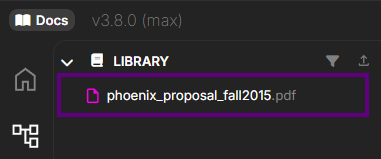
- Upload your PDF document by:
- Clicking the upload/attachment icon in the chat input area, or
- Clicking the upload/attachment icon in the library section, or
- Dragging and dropping your PDF file directly into the chat
- Supported format: PDF, Docx, Xlsx (multi-page documents fully supported)


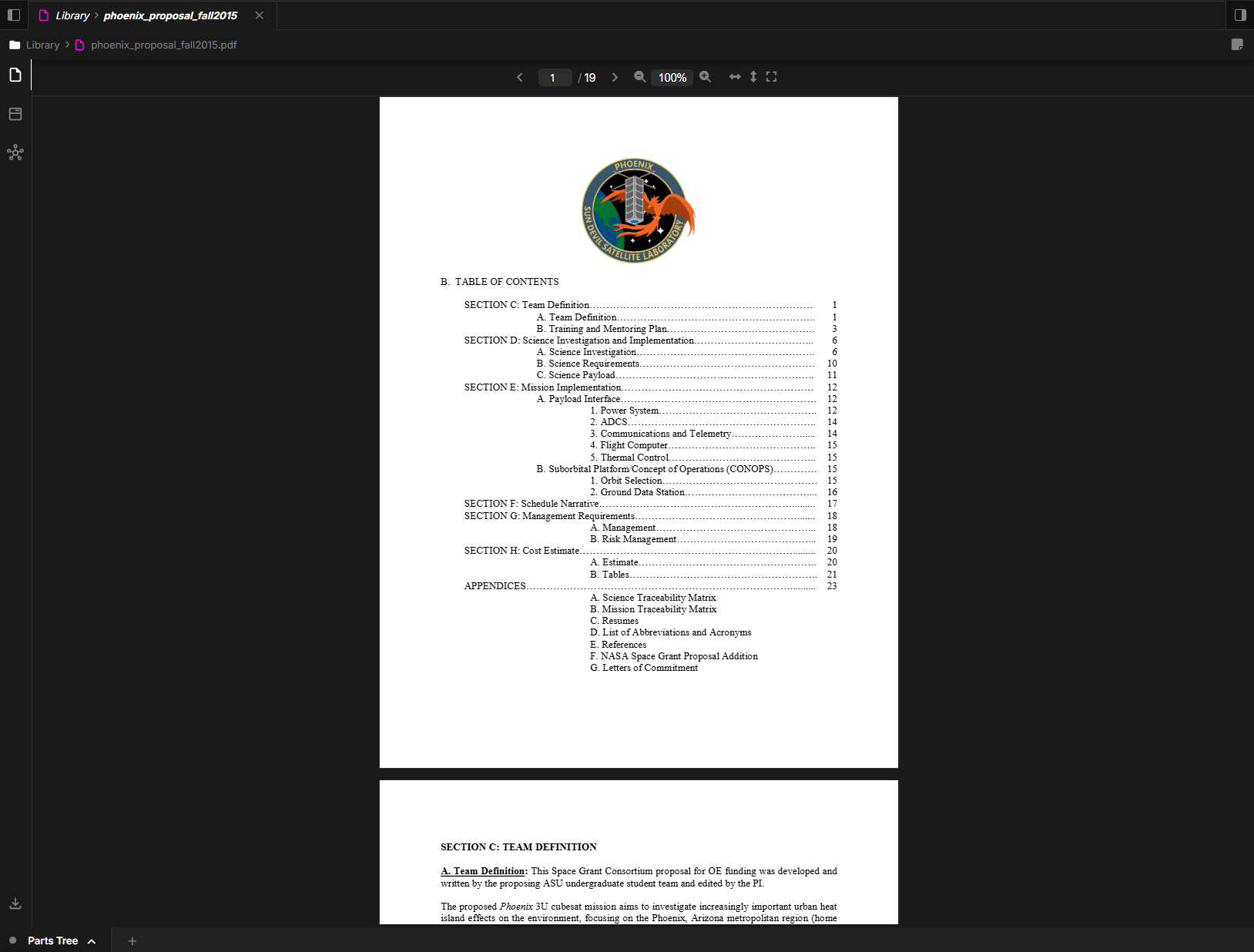
Step 2: Prompt Davinci for Decomposition
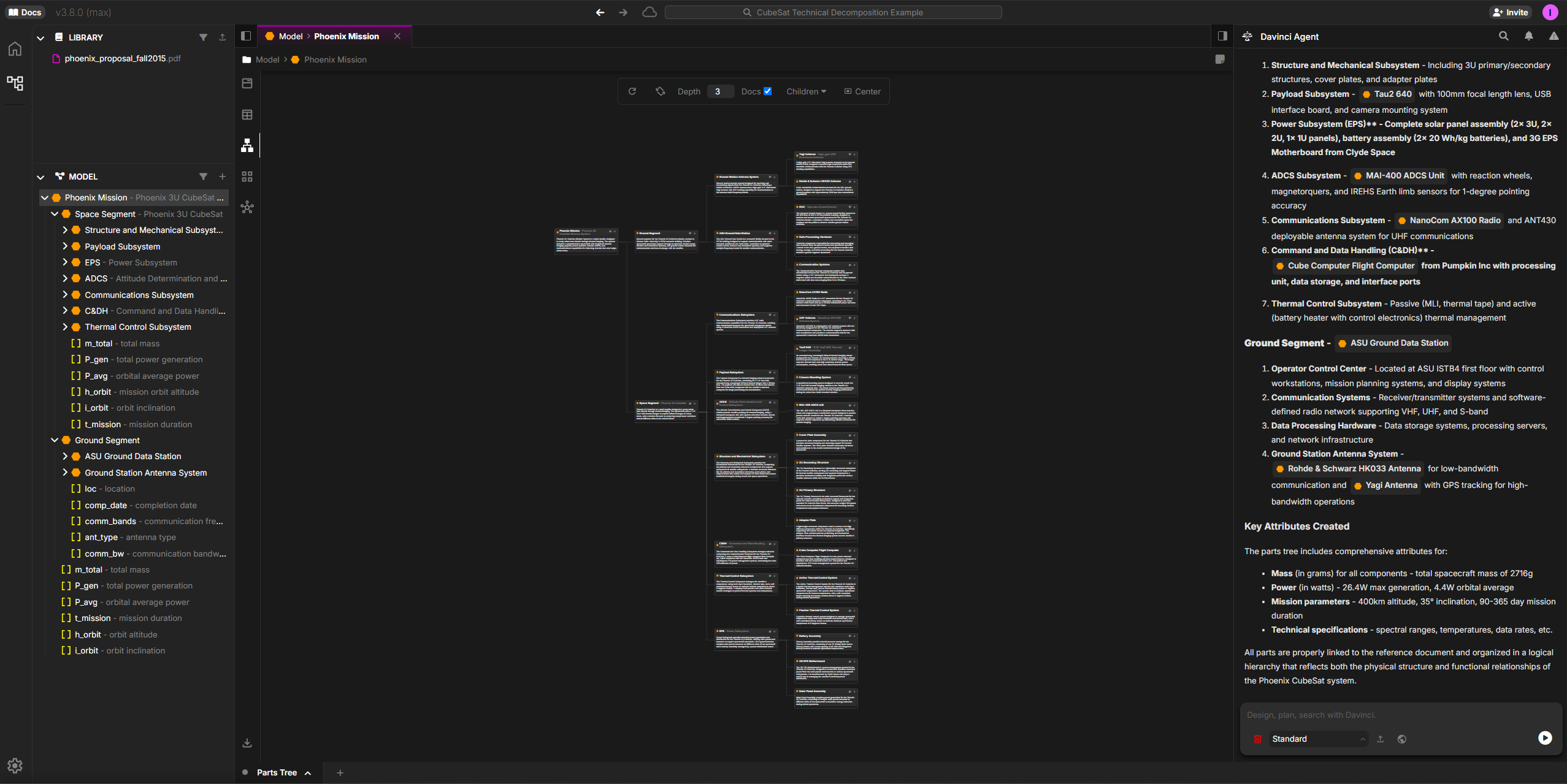
Once you’ve uploaded your technical PDF, use prompts to extract structured information. For the Phoenix CubeSat example, start with the system hierarchy: Extract the parts tree from the Phoenix proposal:
- Top-level system (Urban Heat Island Detection CubeSat)
- Major subsystems (Structure, Power System, ADCS, Communications, Thermal Imaging Payload)
- Component-level parts (solar panels, batteries, reaction wheels, antennas, thermal sensor)
- Key specifications as attributes (power budget, data rates, imaging resolution, orbit parameters)

Other Prompt Patterns
You can adapt these patterns for your own documents: Extract specific subsystems:Step 3: Review and Refine Results
Davinci will analyze your PDF and provide structured results:What to Expect
1. Model Elements Created:- Parts: System, subsystems, components organized hierarchically, with relationships
- Requirements: Functional, performance, interface, and constraint requirements
- Attributes: Technical parameters, specifications, characteristics
- References: Source and location in source of where Davinci is pulling the information
- Documentation: Descriptions extracted from the source document
- Hierarchical part trees reflecting system decomposition
- Requirement hierarchies by type or subsystem
- Relationship maps showing interfaces and dependencies
- References back to source document sections
- Page numbers and context for verification
- Linkages between requirements and implementing components
Source Traceability - A Critical Feature
One of Davinci’s most powerful capabilities is its ability to trace every extracted element back to its source in the original PDF. This isn’t just a page number reference—Davinci can highlight the exact text and context it used to create each model element.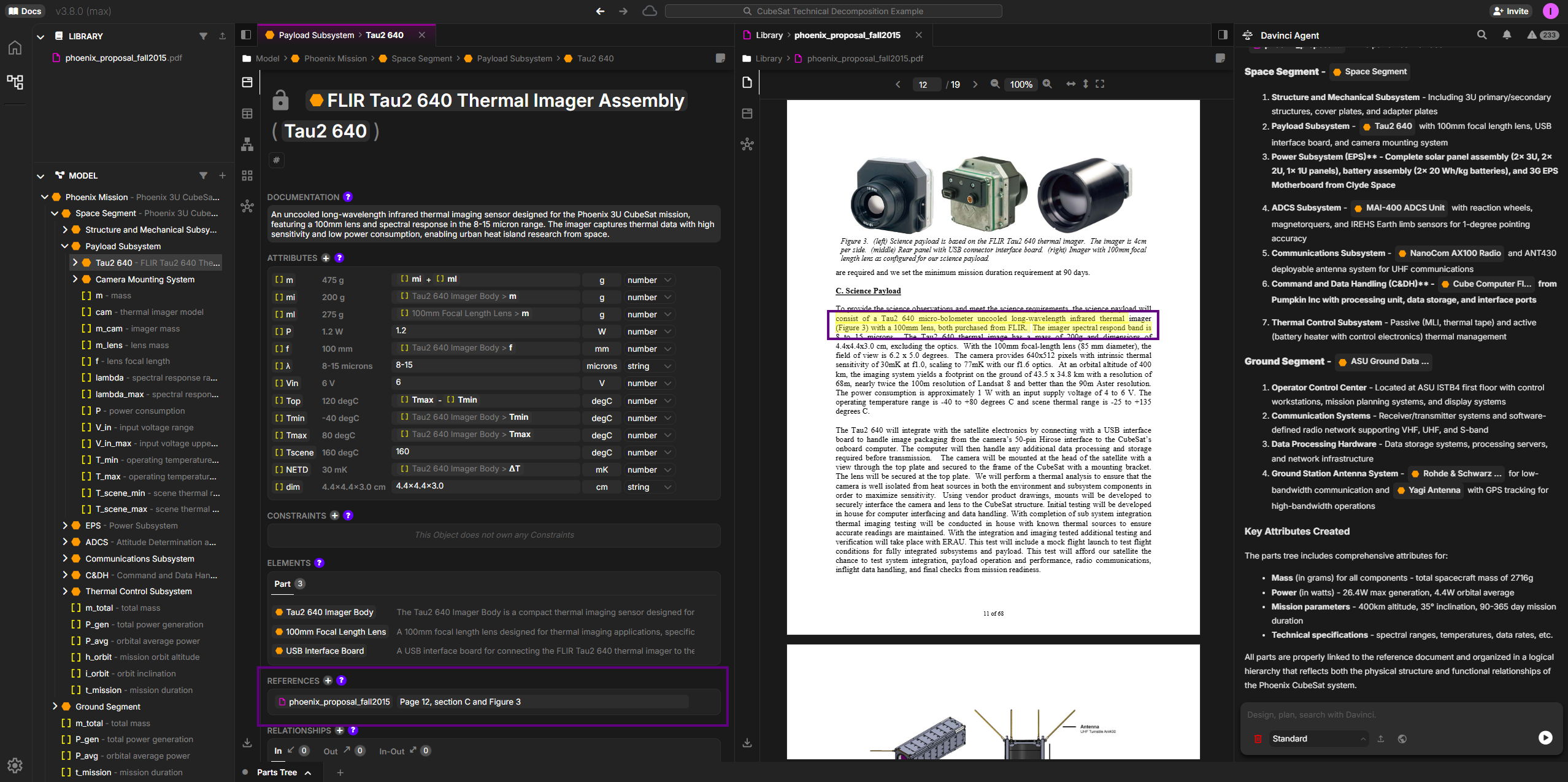
The text highlight will show exact text if 1:1 with the source document and if that source has text content. If referencing an image or scanned PDF, it will only navigate to the page.
- Verification & Validation: Instantly verify that extracted information accurately reflects the source document
- Audit Trail: Demonstrate to stakeholders, reviewers, or auditors exactly where information came from
- Build Trust: Transparent sourcing builds confidence in AI-generated models
- Rapid Correction: When discrepancies are found, quickly identify and correct the source of the issue
- Change Impact: When source documents are updated, easily identify which model elements are affected
This level of traceability transforms Davinci from a convenience tool into a mission-critical capability for regulated industries and high-reliability systems where documentation provenance is essential.
Refining the Results
You can iteratively improve the model by:Why This Matters
Transforming technical PDFs into structured Davinci models delivers critical value: Eliminate Manual Transcription: What traditionally takes days or weeks of manual data entry now happens in minutes. Engineers can focus on analysis and design rather than copy-paste operations. From Static to Queryable: PDF documents are difficult to search and analyze. Davinci transforms them into living models where you can query relationships, filter by attributes, trace requirements, and generate custom views. Maintain Single Source of Truth: When source documents are updated, quickly re-process and merge changes into your model rather than starting from scratch. Version control becomes manageable. Enable Systems Engineering: Structured models support impact analysis, trade studies, requirement allocation, and verification tracking—activities that are nearly impossible with static PDFs.Best Practices
Document Quality
Use high-quality PDFs with clear text
Section Focus
For large documents, process specific sections rather than the entire file at once
Iterative Approach
Start with high-level decomposition, then add detail in subsequent iterations
Verification
Cross-check extracted information against source document for accuracy
Tips for Better Results
- Reference Specific Sections: Use page numbers or section titles to guide Davinci to relevant content
- Process Incrementally: Extract parts first, then requirements, then interfaces—building up complexity
- Use Tables and Diagrams: Call out specific tables or figures that contain structured information
- Provide Context: Explain the document type (requirements spec, design doc, ICD) to help interpretation
- Clean Up Formatting: If possible, use PDF exports rather than scanned documents for best results
Next Steps
After creating your initial model from the technical PDF:- Enrich with Detail: Add attributes, constraints, and calculations not explicit in the document
- Link Artifacts: Connect model elements to other documents, test procedures, or verification evidence
- Validate Completeness: Check that all critical requirements and components are captured
- Export and Share: Generate reports, presentations, or exports for stakeholders
- Maintain as Living Model: Update as source documents evolve or new information emerges